

How to Generate an API Key in Race Results
Follow these step-by-step instructions to generate an API key in your RaceResult account. This API key is required to connect your RaceResult account with RaceLookup.
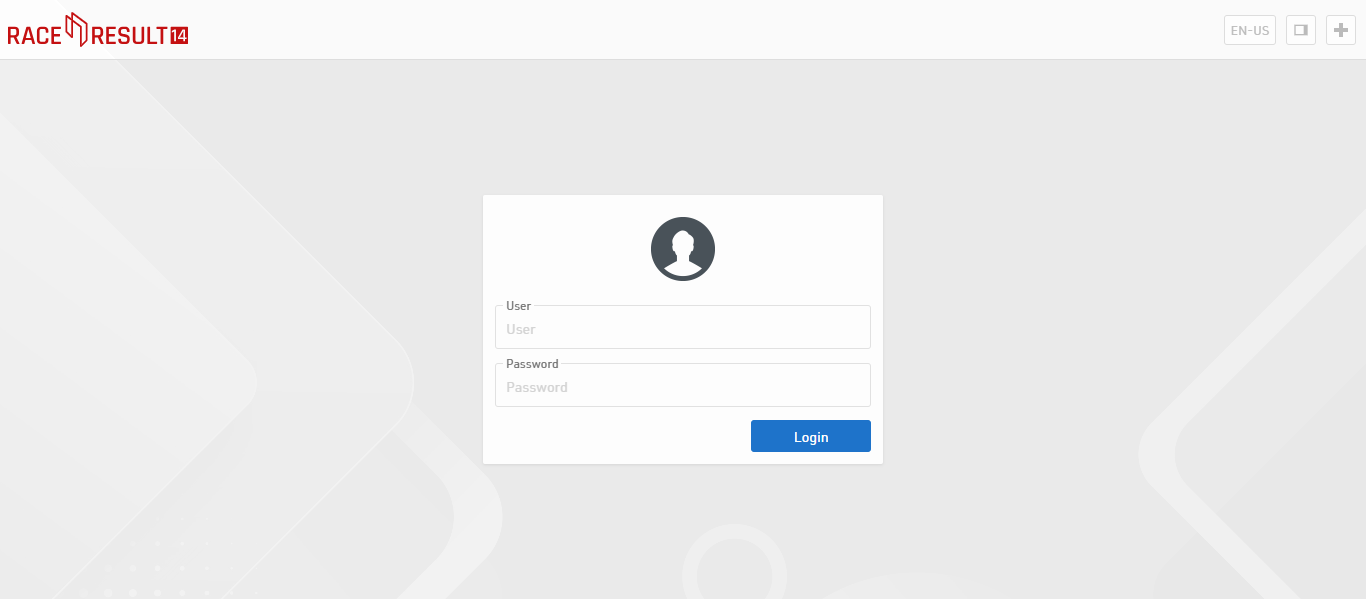
Step 1: Log in to Your RaceResult Account
- Go to https://www.raceresult.com/
- Enter your Race Results credentials to log in
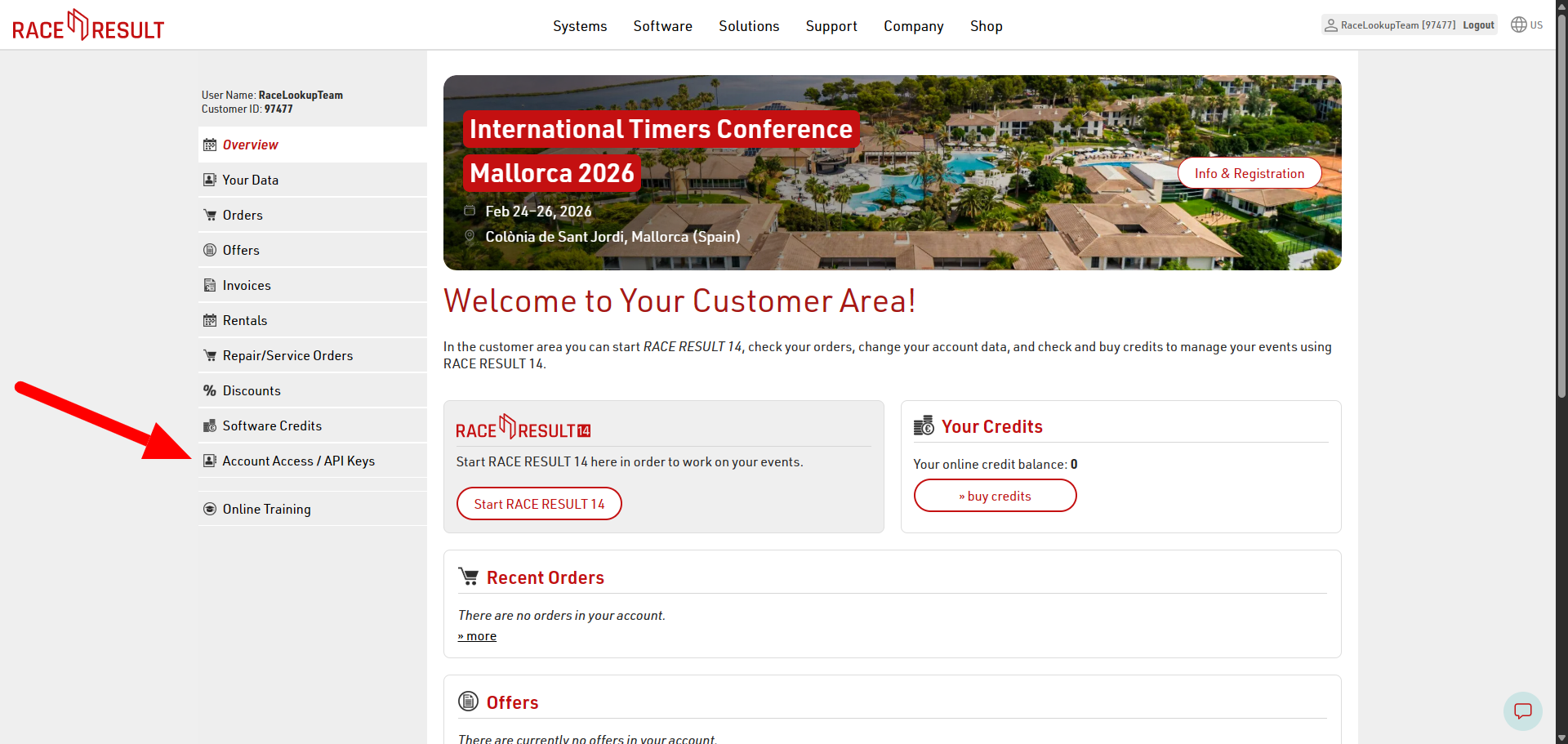
Step 2: Navigate to Account Access → API Keys
- In the left sidebar menu, locate and click on "Account Access"
- From the Account Access submenu, click on "API Keys"
- This will open the API Keys management page
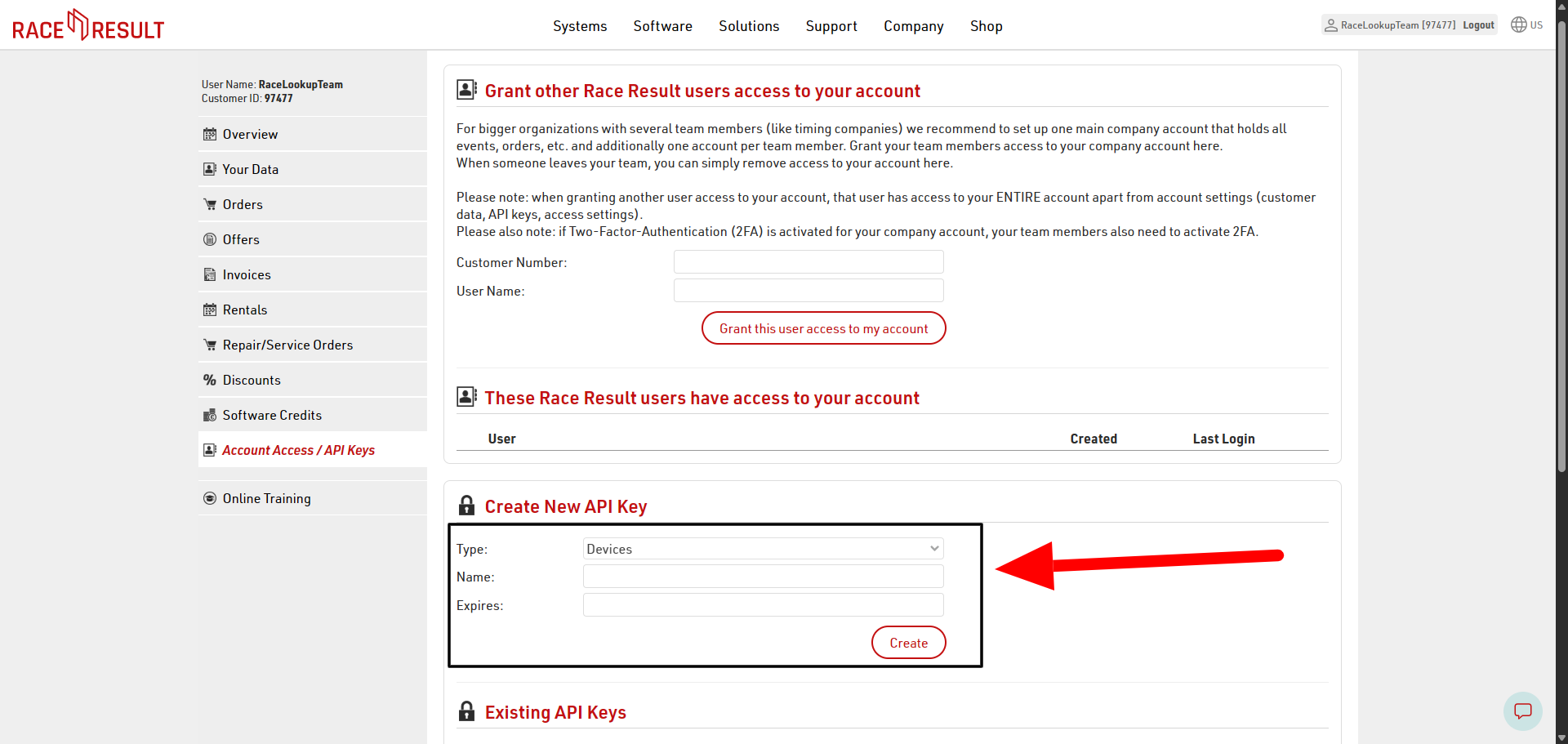
Step 3: View the API Keys Page and Create Form
- You will see the API Keys page with the create form
- The form is ready for you to fill in the required details
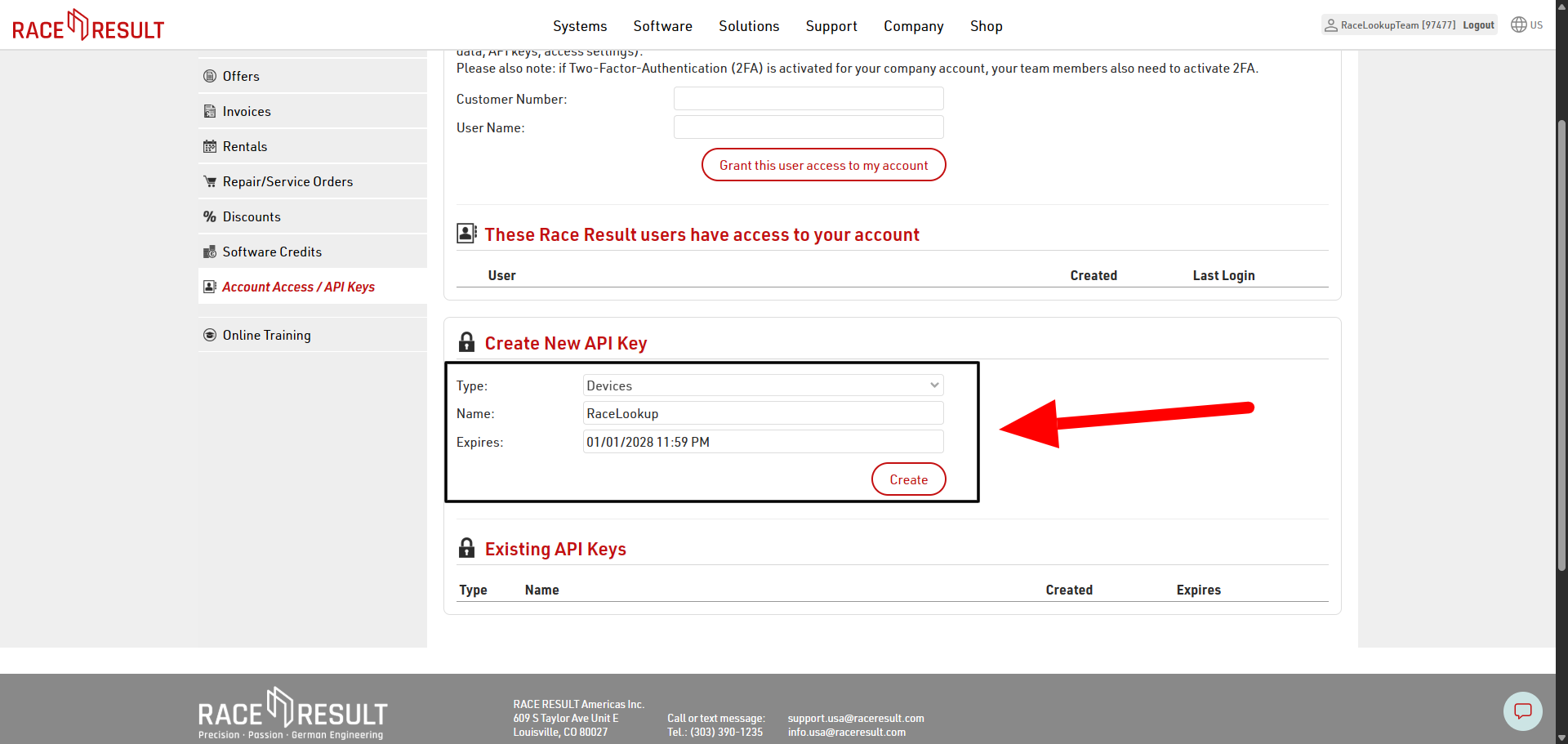
Step 4: Enter API Key Details
Enter a name for the API key
- In the name field, enter a descriptive name for your API key
- Example: "RaceLookup Integration" or "My Race Event API Key"
- This helps you identify the key later if you have multiple keys
Select an expiration date for the key
- Choose an expiration date for your API key
- This adds an extra layer of security by automatically expiring the key after a set period
- You can select a date from the date picker or leave it blank for no expiration
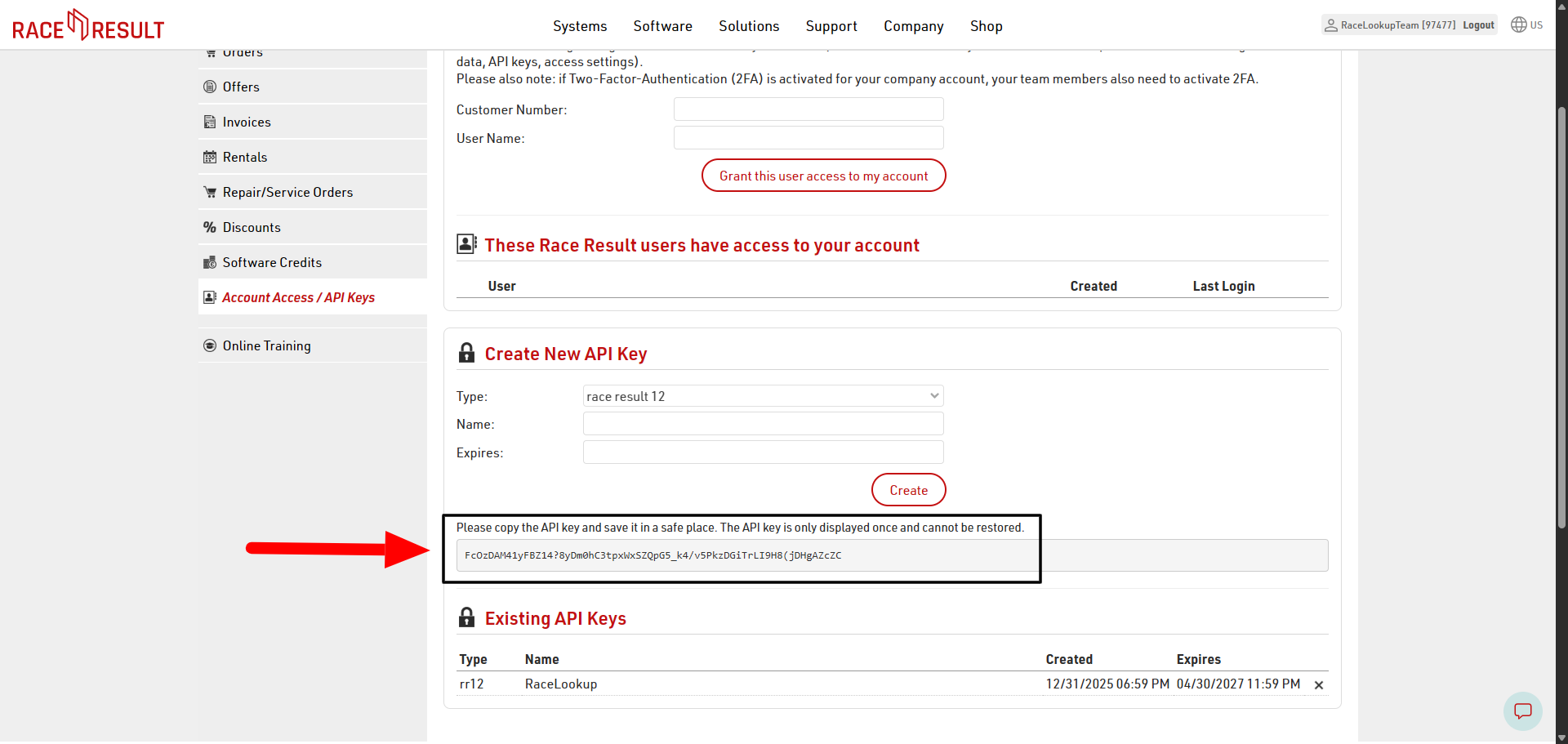
Step 5: Copy Your API Key
- After filling in all the required details, click the "Create" button to generate your new API key
- Once the key is created, it will be displayed on the screen
- ⚠️ IMPORTANT: Copy the API key immediately and save it in a secure location
- You will need to paste this key into the RaceLookup timing company configuration
Important Note
⚠️ The API key will only be displayed once. If you refresh the page or close it, you will not be able to view the key again. Ensure you copy and store it safely at the time of creation. If you lose the key, you'll need to create a new one.
Navigation Path
The API Keys option is accessible from the sidebar navigation menu under:
- Account Access → API Keys
Next Steps
After generating your API key:
- Copy the API key to a secure location
- Return to your RaceLookup account
- Navigate to Timing Companies configuration
- Paste the API key into the API Key field
- Save your configuration
Support
Need additional help?
Ready to configure? Go to Timing Companies Setup